


The Weather Network TV App
3.059.00 Reviews
App Specs
- Version
- 4.4.5
- Updated On
- License
- Free
- Downloads
- 1,000,000+
- Developer
- The Weather Network & MétéoMédia
- Categories
- Weather
- Platform
- Android
Screenshots
 Analysis by AppCompare
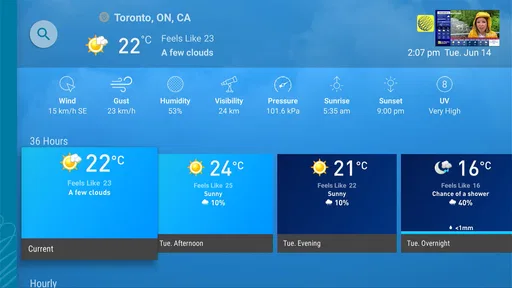
I tend to check the weather at a few predictable moments: before leaving home, when making plans for later, and when the sky looks different from the forecast I saw earlier. The Weather Network TV App is built for that kind of practical routine, with current conditions, forecasts, alerts, radar and video content in one place. I like the range of ways it presents weather, though I would not treat every screen as equally useful for every decision.
A useful baseline for checking the day
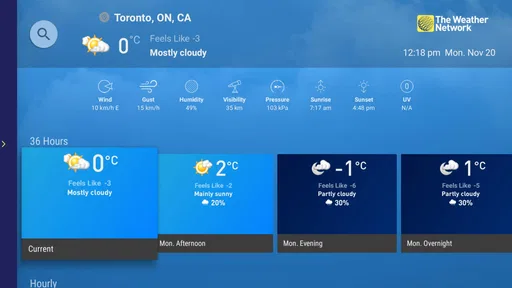
My simplest routine is to start with the current conditions, then look at the hourly forecast if I have a specific trip or errand in mind. The daily outlook is better for deciding whether plans need to change later, while radar can help me judge whether precipitation appears to be approaching. Those views answer different questions, so I find it more useful to move between them than to rely on one headline temperature.
A realistic example is a morning commute on a day when rain may arrive later. I would check the forecast before getting dressed, look at the hourly view to see whether the timing matters for my departure, and then use the radar when I am ready to leave. That is a more practical workflow than repeatedly reopening the app and reading the same general summary. Alerts can add another layer of awareness, but I still use them as a prompt to check conditions rather than as a substitute for my own timing and judgment.
Settings that make repeat visits easier
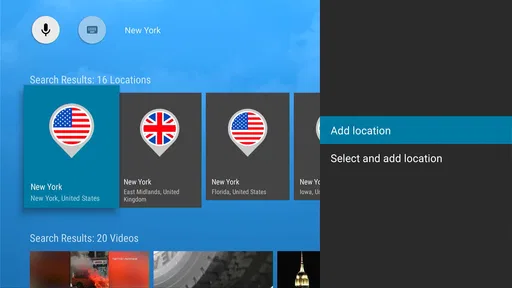
Saving favorite locations is one of the most useful habits in the app. I would keep home and work near the top of my routine, then add places I genuinely need to monitor, such as a relative’s town or a destination for an upcoming trip. This turns a location check into a quick tap instead of a repeated search. It also helps avoid a common mistake: glancing at a forecast for the wrong place when moving between towns.
Notification choices deserve a little thought. I would enable the alerts that could change what I do, then avoid turning on every possible update just because the option is there. Too many notifications can make a useful weather warning blend into routine phone noise. If I only care about rain before walking or cycling, I would focus my setup around that decision and review whether the alerts are still helpful after using the app for a while.
The app’s dark mode is worth checking if I usually look at forecasts in the evening. It can make a late check more comfortable, but it is a viewing preference rather than a reason to choose the app on its own. I would also take a moment to confirm that the locations I saved are still relevant; a tidy list makes the app faster to use than one crowded with old vacation stops.
Faster patterns for everyday decisions
For a quick check, I would avoid treating every forecast detail as equally important. First ask what decision is in front of you: clothing, travel timing, outdoor plans, or whether to carry rain gear. Then open the view that best answers it. Current conditions help with what is happening now, the hourly forecast supports short-term scheduling, and the radar gives a visual sense of precipitation patterns. This small habit keeps weather checking focused instead of turning into aimless scrolling.
Worth Reading Before You Choose

EA SPORTS FC Mobile 26 Is a Bigger Football Game, but It Takes Time

Flipboard Shows What News Apps Must Do Beyond the Feed

Switching to Android Auto Means Rethinking Your Driving Routine

Google Calendar Makes a Crowded Week Easier to Manage

Ludo King Makes the Most of the Minutes Between Plans

Baby Panda World Brings Quick Play to Modern Phones, but Its Game Library Feels Busy
For a weekend plan, I would save the destination before the day arrives and compare its outlook with home. That gives me a better basis for choosing what to pack and when to travel. If plans are flexible, checking again closer to departure is sensible; a forecast is guidance, not a guarantee. For a drive, radar can be useful as context, but I would not use a phone screen while driving. Check before setting off or ask a passenger to review it safely.
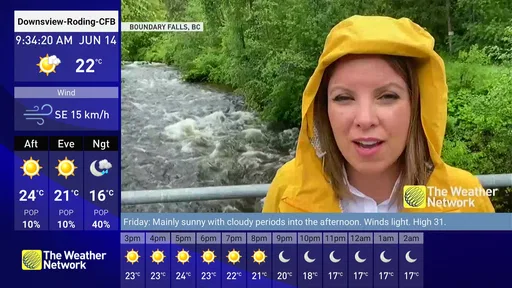
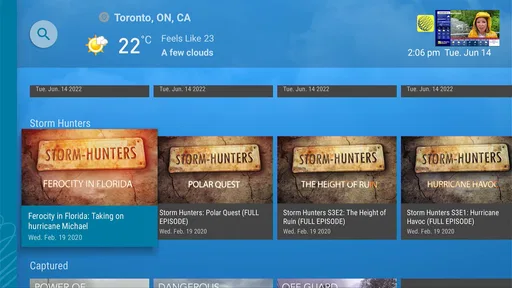
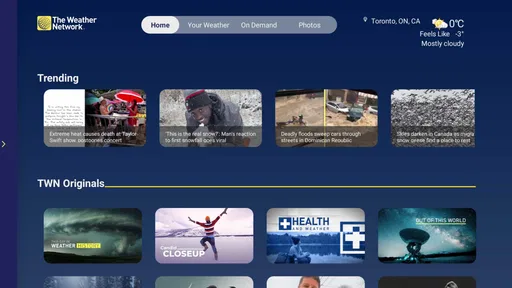
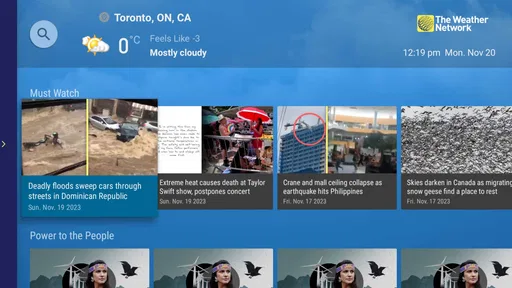
Video forecasts are a different kind of shortcut. When I want a spoken overview or a bit more explanation than a row of forecast symbols provides, a video can be easier to follow. If I only need to know whether to bring a coat, though, watching a clip is unnecessary. I see video as a useful option for people who prefer a presenter’s explanation, not as a step every user needs to add to the daily routine.
Where it fits among weather apps
Compared with a basic weather app that puts current conditions and a short forecast on one screen, this app offers more ways to explore the information, including radar and video. That breadth suits someone who likes to check conditions in detail or wants weather content alongside a forecast. A simpler alternative may be better for someone who wants only a quick glance and dislikes moving between several types of information.
It is also not the right tool for every weather decision. If I need specialized information for a particular activity, I would look for an option designed around that need rather than assume a general weather app covers every detail. And if I am planning a route, I would pair a forecast check with a dedicated navigation tool instead of expecting weather radar to handle directions or road conditions. The strongest use here is everyday awareness, not replacing every travel or outdoor-planning service.
The Weather Network TV App is a free weather app from The Weather Network & MétéoMédia. It has an average rating of 2.9 from around 2,500 ratings, with 52 reviews, and has been installed over a million times. It is rated for Everyone, was released on August 12, 2015, and its current version is 4.4.5, for devices running Android 5.0 or later. Those figures offer useful context, but they do not tell me whether its mix of forecasts, alerts, radar and video suits an individual’s habits; the best test is whether its views help you make quicker decisions.
What to expect from alerts, setup and reliability
A sensible question is whether I can use the app without letting it interrupt me all day. The practical answer is to be selective with notifications and keep only the updates that could change a plan. Weather alerts are most useful when they arrive at a moment that matters, but an alert does not remove the need to check the relevant location and timing. If notifications become distracting, revisiting those choices is better than abandoning the app altogether.
Another question is whether it is useful when I travel. Saved locations make it easier to check a destination alongside home, which is handy before packing or leaving. I would still confirm that the selected location is the intended town, especially when several places have similar names. For a journey with multiple stops, the app can support weather awareness, while a navigation app remains the better place to plan the route itself.
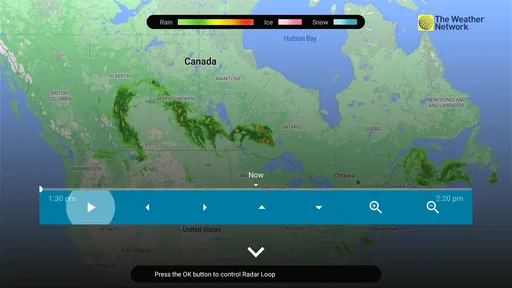
People who prefer visual explanations may appreciate both radar and video, but they serve different purposes. Radar is for looking at the weather pattern spatially; video is for hearing an explanation. Neither needs to be part of every check. I would use radar when the timing or movement of precipitation affects an outdoor decision, and choose video when I want a broader spoken overview. That distinction keeps the app useful without making a simple forecast feel like homework.
Performance and design can vary with device and connection, so I would avoid assuming every visit will feel identical. In my experience, the most dependable way to use a weather app is to keep the task small: check the relevant place, choose the forecast view that answers the question, and allow the content to load before making a plan. A screen full of extra detail is not automatically more useful if all I need is a quick clothing decision.
Who will get the most from it
I would recommend it to people who check weather several times a day and like having more than a temperature and icon to consult. The combination of saved locations, forecast views, alerts, radar and video can serve different routines without forcing every user into the same one. It is especially suited to someone who wants to compare home with another place, keep an eye on changing conditions, or get a spoken overview when a short text forecast feels too bare.
I would steer away from it if I wanted the absolute simplest possible screen, rarely checked forecasts, or expected a general weather app to answer specialized questions. Its selection of content is a benefit only when I actually use those options. Someone who wants a minimal glance may find a simpler alternative less distracting, while users with activity-specific needs should choose a service built around those needs. The app’s modest average rating is also a reason to approach it with realistic expectations rather than assume it will suit everyone equally.
Features and the overall experience
Okay, first things first, the app is packed with features. From live weather updates to detailed forecasts, The Weather Network TV App has it all. One of the coolest things? The real-time weather alerts. Imagine getting a nudge just before a surprise rain shower hits. Yeah, it’s that good.
But wait, there’s more! There’s an interactive radar map that’s not just intriguing but super useful if you’re planning a road trip or just curious about the weather patterns. You can zoom in, zoom out, and get a clear picture of what's happening in your area. It’s like Google Maps but for weather geeks!
Easy Peasy Navigation
The app is super user-friendly. I mean, even my tech-challenged uncle could navigate it without calling me for help. The layout is intuitive with everything neatly organized. You’ve got your current weather on the homepage, and with a quick swipe, you can access hourly forecasts, the 7-day outlook, and even video updates.
And speaking of videos, the app offers some fantastic weather-related content. Whether it's a deep dive into storm patterns or a simple weather forecast, the videos are crisp and provide just the right amount of information.
Customization Like Never Before
Now, I’m all about personalization, and this app doesn’t disappoint. You can set up a list of your favorite locations. So whether you’re keeping tabs on grandma’s town or your next vacation spot, it’s all just a tap away. And trust me, having multiple locations saved is a game-changer.
Plus, the app lets you customize the notifications. Want to know when it’s going to rain? Or maybe just the temperature changes? Set it up, and you’re good to go. It’s like having a personal assistant who’s obsessed with the weather.
Performance and Design
Let’s talk about how the app performs. I’ve had zero issues with lagging or crashing. It’s smooth, responsive, and delivers data quickly. The design is sleek and modern, with a nice mix of visuals and text. It’s easy on the eyes, which is a must for an app you might check multiple times a day.
And for those dark mode lovers out there, yep, it’s got that too. Switching to dark mode at night feels less like staring at a flashlight and more like a gentle glow. Your eyes will thank you.
Why You’ll Love It
In a nutshell, The Weather Network TV App is a powerhouse. It’s reliable, detailed, and just plain fun to use. Whether you’re a weather enthusiast or just someone who hates getting caught in the rain, this app has your back.
If you’re still on the fence, give it a shot. Worst case, you’ll have an app that tells you when to grab an umbrella. Best case? You become the go-to weather guru among your friends.
So, ready to take your weather-checking game to the next level? Head over to the app store, download it, and let the forecasts begin!
Pros
- User-friendly interface for quick navigation.
- Accurate weather forecasts with real-time updates.
- Includes severe weather alerts for safety.
- Customizable notifications for specific needs.
- Offers detailed radar maps and satellite views.
Cons
- Ads can be intrusive during use.
- Requires internet for real-time updates.
- Limited offline functionality.
- Some features behind a paywall.
- Occasional slow loading times.
FAQs for The Weather Network TV App
What features does The Weather Network TV App offer?
The Weather Network TV App provides real-time weather updates, interactive radar maps, and customizable alerts. Users can access detailed forecasts, including hourly, daily, and weekly predictions. The app also offers weather news, video forecasts, and lifestyle forecasts for activities like skiing and gardening, ensuring a comprehensive weather experience.
Is The Weather Network TV App free to use?
The Weather Network TV App is free to download and use, offering a variety of features at no cost. However, it may offer in-app purchases or premium subscriptions for additional features, such as ad-free experiences or advanced weather data. Users should check the app's store listing for specific pricing details.
How accurate are the weather forecasts provided by the app?
The Weather Network TV App is known for its reliable weather data, sourced from a network of meteorologists and advanced weather models. While no weather forecast can be 100% accurate, users generally find the app's predictions to be precise and timely, making it a trusted source for weather updates.
Can I customize alerts and notifications in the app?
Yes, The Weather Network TV App allows users to customize alerts and notifications to suit their preferences. You can set alerts for severe weather conditions, daily forecasts, or specific weather events in your area. This feature ensures users receive timely information tailored to their needs.
Does the app require a constant internet connection?
The app relies on an internet connection to provide real-time updates and access to the latest weather data. However, some features, like saved locations or cached forecasts, may be accessible offline. Users should ensure they have a stable internet connection for the most accurate and up-to-date information.


